
The Toolsmith app
Precision tools for makers and trade professionals, in your pocket. Browse 1,200+ specialist tools for jewellery making, dental work, watch repair and the trade, then check out securely without leaving the app.


Free on the App Store and Google Play · Available to download in the UK


The launch film, in words
Introducing the Toolsmith app. More than 1,200 specialist tools, for jewellery making, dental work and watch repair, now in your pocket.
Browse by category, or search as you type. Every product page shows photos, options and prices. Tap the heart to save a wishlist. No account needed. Sold out? We'll email you once when it's back. Check out securely, without leaving the app. Shop as a guest, or sign in to see your orders.
Download the Toolsmith app today: free on the App Store and Google Play, in the UK.
What the app does
Buy precision tools online from your phone. Professional jewellery tools and jewellery making supplies, dental instruments, watch tools and more come from the same ranges as our website. Here are the nine things the Toolsmith mobile app does:
 01
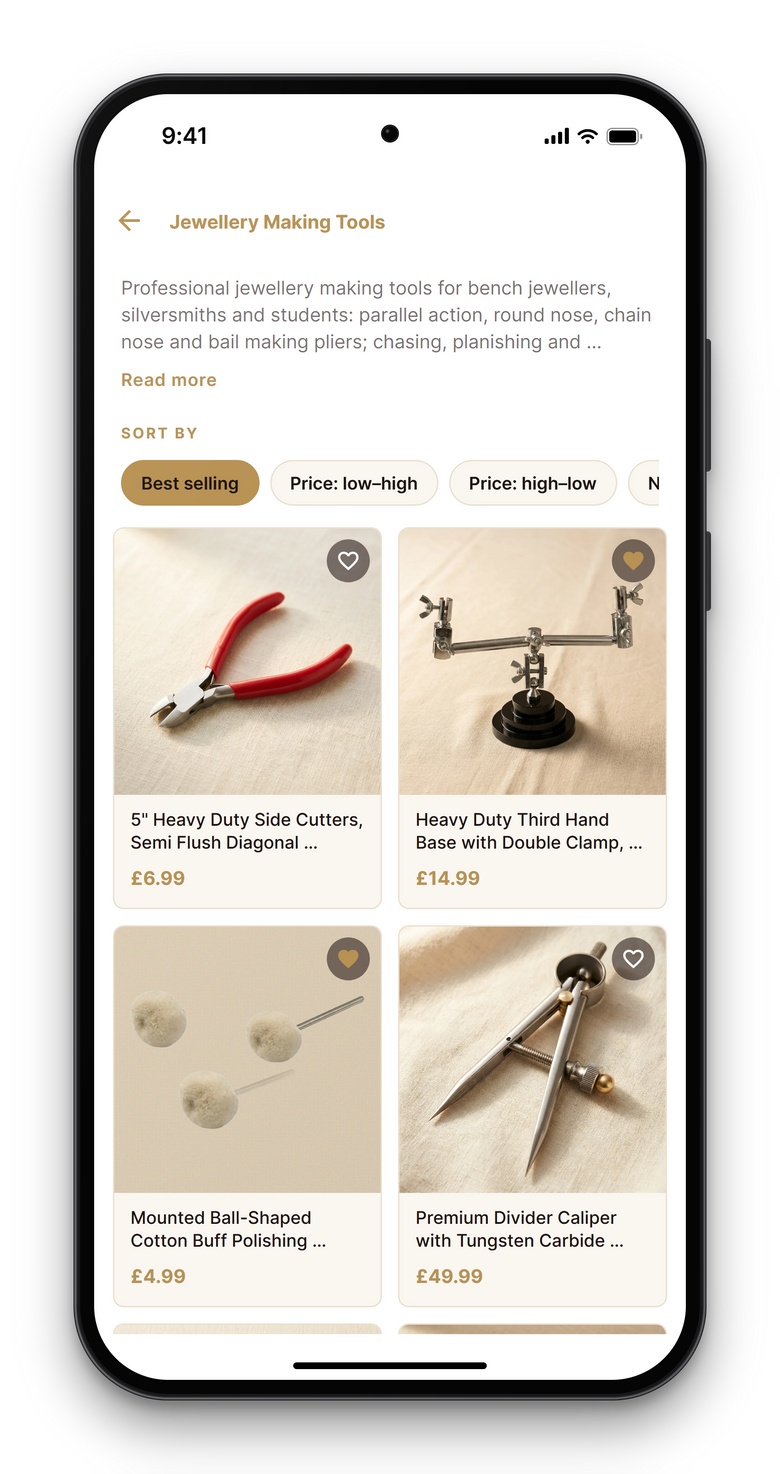
Every range from the website
Browse by category: jewellery pliers, mandrels, bench tools, dental instruments, watch tools, scissors and shears. These are the same ranges as our website, laid out for a small screen.
 02
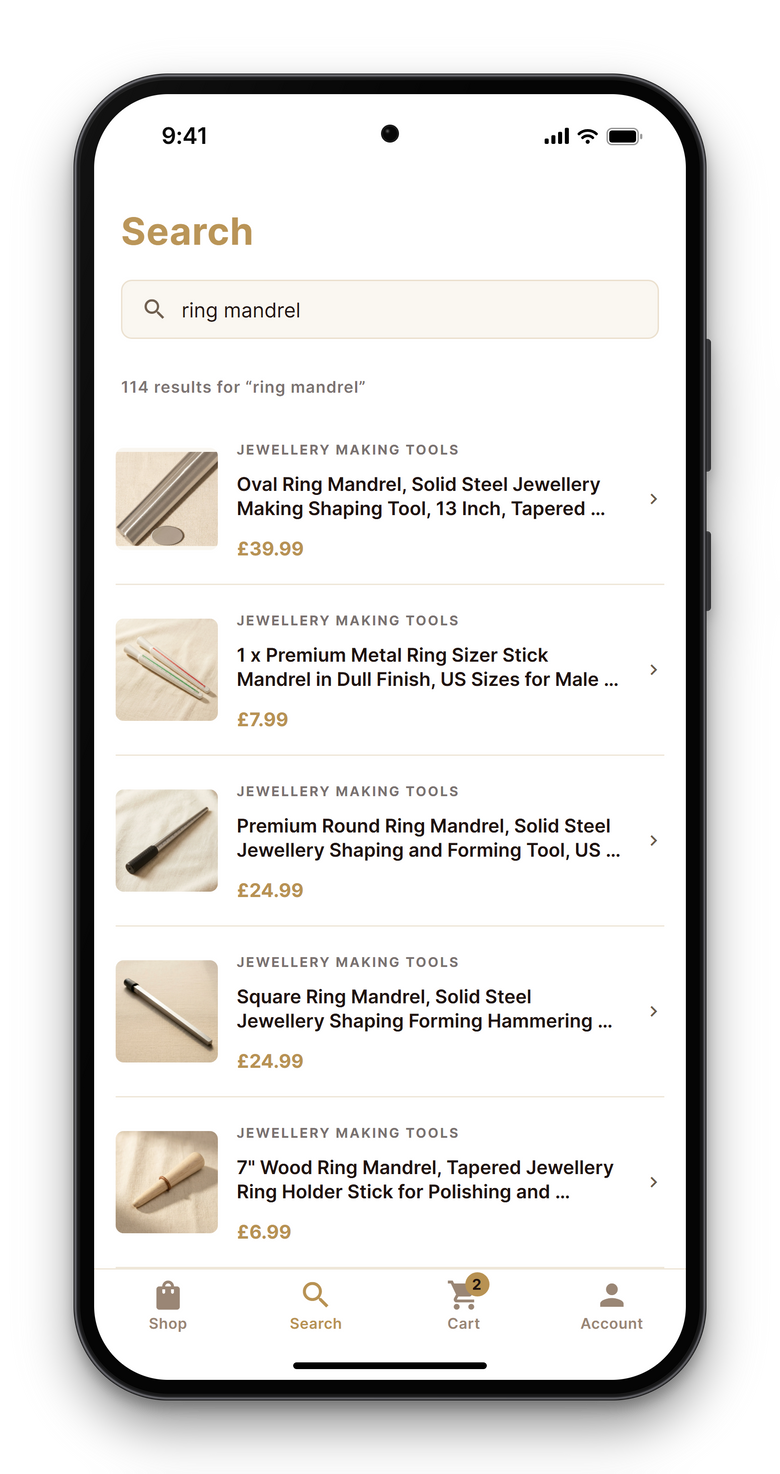
Find it as you type
Start typing a tool's name or type, and the results appear as you go.
 03
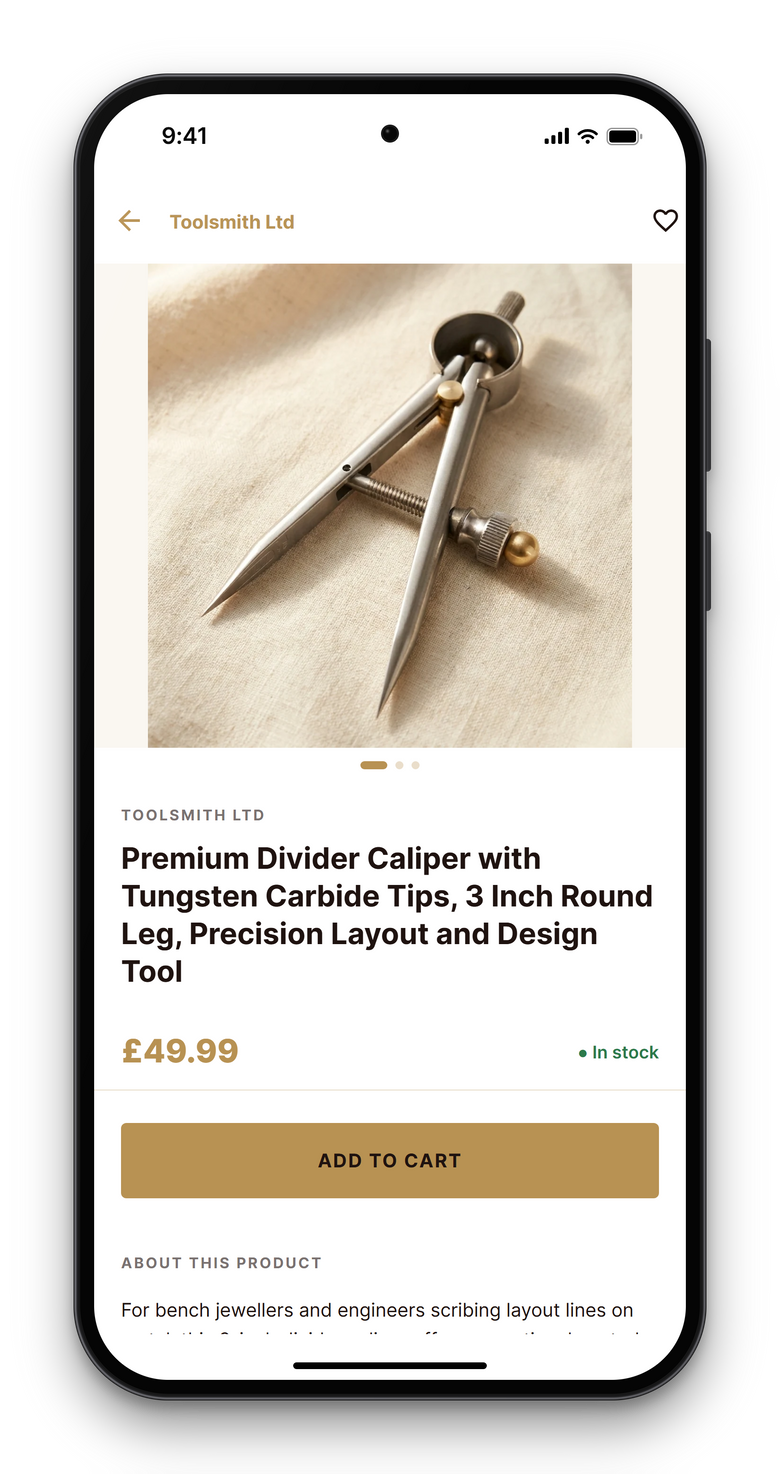
See the detail before you buy
Every product page has photos, options and prices.
 04
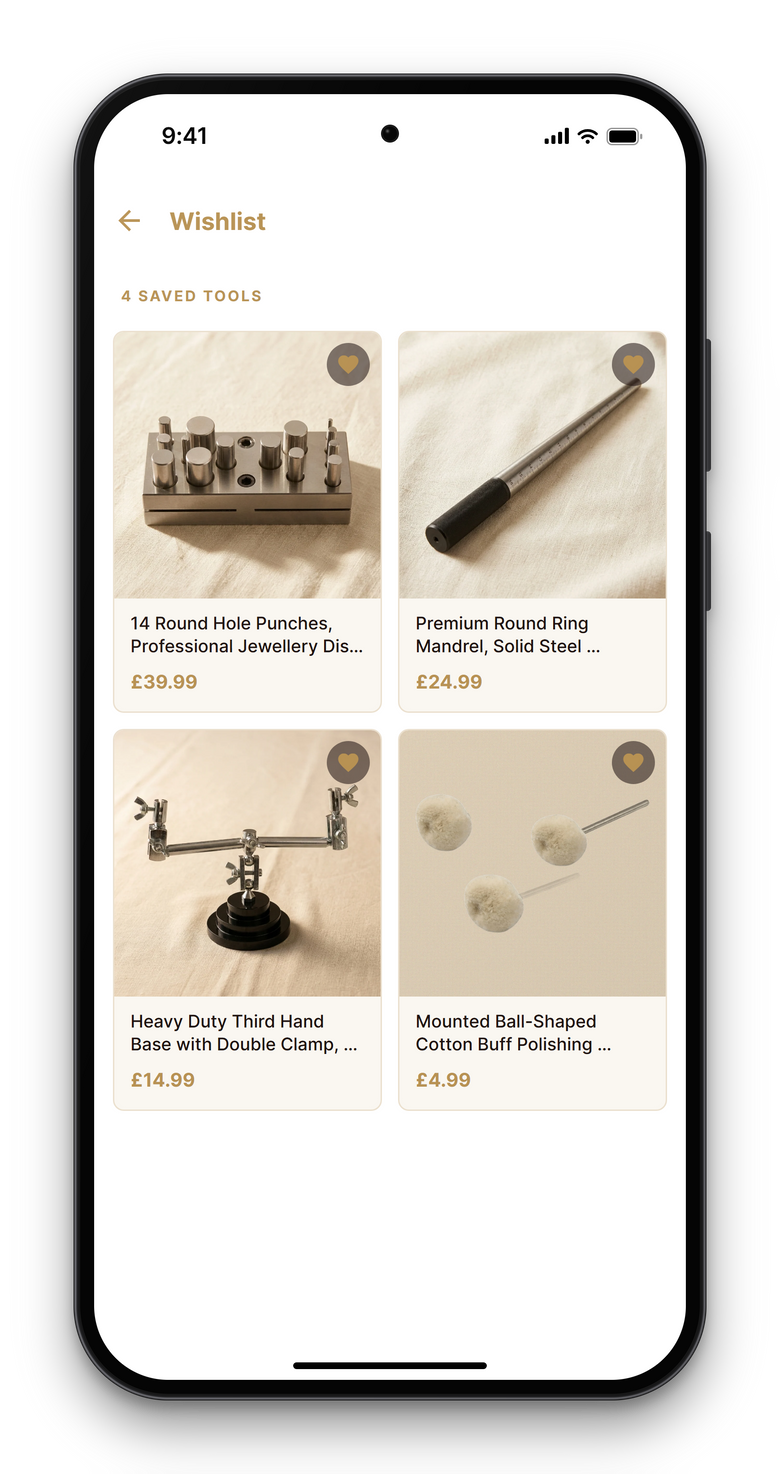
Keep a wishlist
Tap the heart to save a tool for later. Your wishlist is stored on your device, so you don't need an account.
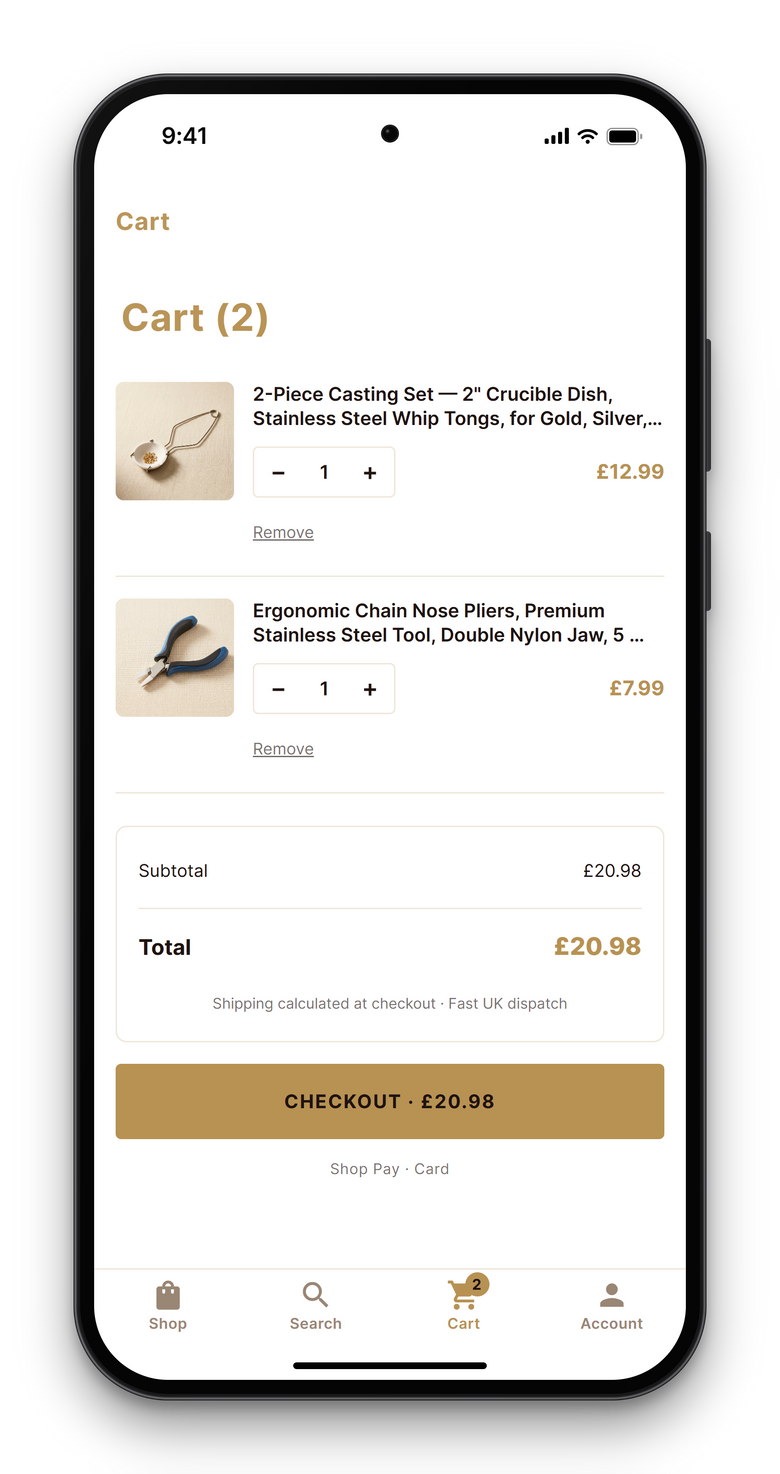 05
Check out without leaving the app
Your basket goes straight to our secure checkout, inside the app.
-
06
Know when it's back
If a tool or option is sold out, tap "Email me when it's back". We'll email you once, when it's back in stock. It doesn't sign you up to marketing emails.
-
07
Your orders and addresses, if you want them
Sign in with your email address to see your orders and your saved delivery addresses. Signing in is optional.
-
08
Offers and news, only if you ask
Notifications are optional. Turn them on in the Account tab, and turn them off at any time in your device settings.
-
09
No account needed
Shop as a guest: browsing, your wishlist and checkout all work without an account.
Shop as a guest or sign in
Browsing, the wishlist and checkout work without an account. Sign in only if you want to see your orders and your saved delivery addresses.
Ordering
- Order by 2pm Mon–Fri — we aim to dispatch same day.
- Bladed tools, such as knives, razors and scalpels, are sold to customers aged 18 and over and ship to UK addresses only.

Get the Toolsmith app
The Toolsmith app is free. Download it free from the App Store or Google Play.
Free on the App Store and Google Play · Available to download in the UK
Questions about the app
Is the Toolsmith app free?
Yes. The app is free to download from the App Store and Google Play.
Which devices does it work on?
Phones and tablets that can download apps from the App Store or Google Play. On both, search for "Toolsmith UK", or use the buttons on this page.
Can I download it outside the UK?
No. The app is available to download in the UK only, on both the App Store and Google Play.
Do I need an account?
No. Browsing, the wishlist and checkout all work as a guest. Sign in only if you want to see your orders and your saved delivery addresses. To sign in, open the Account tab, tap Sign in and enter your email address. Once you're signed in, the Account tab shows your orders and your saved delivery addresses.
Where is my wishlist saved?
On your device. Tap the heart on any product to add it. You don't need an account.
How do restock alerts work?
If a tool or option is sold out, the product page shows "Email me when it's back". Tap it and enter your email address. We'll email you once, when that item is back in stock. A restock alert doesn't sign you up to marketing emails, and you don't need an account.
Can I turn notifications on and off?
Yes. Notifications for offers and news are optional. Turn them on in the Account tab, and turn them off at any time in your device settings.
Is checkout secure?
Yes. Your basket goes straight to our secure checkout, inside the app. You enter your card details there, and Toolsmith never sees your full card number.
How do I delete my account?
When you're signed in, go to Account, then Delete your account. You can also use our account deletion page, email info@toolsmithltd.co.uk or call 0121 314 7550. We delete the account and its personal data, and confirm by email within one month.
How do I get help?
Email info@toolsmithltd.co.uk or call 0121 314 7550, Monday to Friday, 9am to 5pm. You can also use our contact page.
Need a hand?
Questions about a tool or an order? Email info@toolsmithltd.co.uk or call 0121 314 7550, Monday to Friday, 9am to 5pm.
Apple and the Apple logo are trademarks of Apple Inc., registered in the U.S. and other countries. Google Play and the Google Play logo are trademarks of Google LLC.